
April 1st marks the end of harmless pranks and fake news that make us question everything on April Fools' Day.
But scammers? They never take a break.
Spring is a peak time for cybercriminals, not because employees are careless, but because busy schedules and distractions allow nearly convincing scams to slip by unnoticed until damage is done.
Here are three current scams targeting savvy, well-intentioned employees just trying to get through the day.
As you read, ponder this: Does everyone on my team take the time to spot these threats?
Scam #1: Fake Toll or Parking Fee Alerts
Imagine an employee receiving a text saying:
"You have an unpaid toll balance of $6.99. Pay within 12 hours to avoid penalties."
It references a legitimate tolling system—E-ZPass, SunPass, FasTrak—consistent with their location. The small amount doesn't raise suspicion, and between meetings, they click the link and pay quickly.
Except, the link is fraudulent.
In 2024, the FBI received over 60,000 reports of these fake toll notifications, with a sharp 900% rise in 2025. Cybercriminals have created more than 60,000 counterfeit domains impersonating state toll agencies—a lucrative scam that even targets residents in toll-free states.
This trick works because a few dollars feel safe and recent toll or parking experiences make the message believable.
The defense: Authentic toll agencies never demand immediate payment via text. Smart companies enforce a strict policy: NEVER pay through text links. Instead, employees should directly visit official websites or apps to verify charges, and avoid replying to these texts, even with "STOP," to prevent confirming active numbers.
Remember: Convenience can be a trap—stick to verified processes.
Scam #2: "Your File Is Ready" Phishing Email
This scam blends seamlessly into daily workflow.
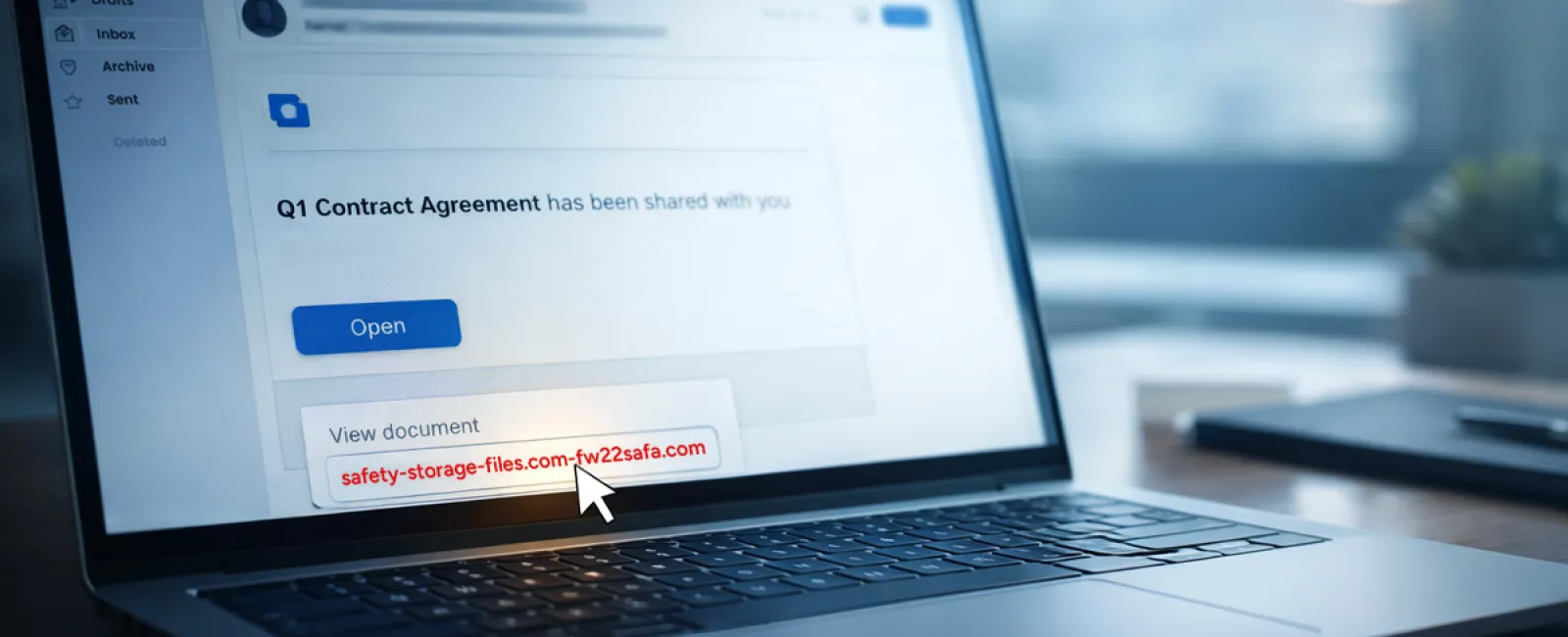
An employee receives an email notifying them a file has been shared—perhaps a DocuSign contract, a spreadsheet on OneDrive, or a file in Google Drive.
The sender looks genuine; the email format matches typical notifications.
They click the link, enter login credentials when prompted—and just like that, attackers gain access to your company's cloud environment.
Phishing attacks exploiting trusted platforms like Google Drive, DocuSign, Microsoft, and Salesforce surged 67% in 2025 (KnowBe4 Threat Labs data). Google Slides phishing links alone soared over 200% in six months.
Alarmingly, employees are seven times more likely to trust files shared via OneDrive or SharePoint notifications than random emails because they look authentic.
Even more sophisticated attacks involve hackers sending notifications from legitimate Google or Microsoft servers by compromising accounts.
How to protect yourself: If a shared file is unexpected, don't click the link. Log into the platform manually via browser to confirm the file's presence. Companies should also limit external sharing permissions and enable alerts for suspicious login behaviors — settings your IT team can configure quickly.
Consistently cautious habits create strong defenses.
Scam #3: Highly Convincing Emails
Gone are the days when phishing emails were riddled with errors and obvious giveaways.
In 2025, AI-generated phishing emails achieved a staggering 54% click rate—over four times higher than human-written scams (12%). They cleverly reference real company info, job titles, and workflows scraped from public sources in seconds.
Targeted emails reach specific departments: HR and payroll receive fake employee verifications; finance teams get fraudulent vendor payment requests. A recent test showed 72% of employees engaged with vendor impersonation emails—90% more than other phishing styles. These messages appear calm, professional, and urgent without raising suspicion.
Protection Tips: Always verify requests involving credentials, payments, or sensitive data through a second channel such as a call, chat, or in-person confirmation. Before clicking any link, hover over the sender's email to inspect the domain. Treat urgent requests with caution—urgency itself can be a red flag.
True security doesn't rely on panic to succeed.
The Bottom Line
These scams thrive on familiarity, urgency, authority, and the illusion that "this will only take a second."
The real vulnerability isn't careless employees—it's systems that expect everyone to remain vigilant and perfect under pressure.
If one hurried click can break security, it's a process flaw, not a personnel issue.
The good news? Process weaknesses are solvable.
How We Support You
Most business owners don't want to manage another project or become the cybersecurity coach for their teams.
They just want confidence their business is protected.
If you're worried about your team's cybersecurity or know someone who should be, we're ready to talk.
Book a discovery call to discuss:
- Common risks affecting businesses like yours today
- How threats infiltrate routine workflows
- Effective strategies to minimize risks without disrupting productivity
No pressure. No fear tactics. Just an opportunity to identify risks and explore solutions.
Click here or give us a call at 703-879-2070 to schedule your free 15-Minute Discovery Call.
Not for you? Feel free to share this message with others who might benefit. Sometimes, awareness is all it takes to turn a "would have clicked" into a "nice try."


